Understand
Context
Sustainability analysts and managers often need to evaluate the environmental impact of multiple products or projects. However, the platform lacked a way to compare multiple life cycle assessments (LCAs) side by side, resulting in time-consuming workarounds, fragmented insights, and unclear communication.
Challenge
Design a comparison feature that enables professionals to benchmark, interpret, and communicate complex sustainability data across portfolios without overwhelming less technical stakeholders.

Define
Client Goals
Expand the platform’s analytical capabilities
Reinforce positioning as a professional-grade LCA tool
Drive engagement by supporting real-world portfolio-level decisions
Align with technical workflows and industry expectations
User Groups
Environmental Analysts comparing multiple product or suppliers LCAs
LCA Specialists focused on accuracy and impact modelling
Sustainability Managers presenting insights to internal or external stakeholders
User Needs
Benchmark key impact metrics across projects
Interpret trade-offs and communicate recommendations clearly
Ensure integrity and credibility of data comparisons
Client Goals
Expand the platform’s analytical capabilities
Reinforce positioning as a professional-grade LCA tool
Drive engagement by supporting real-world portfolio-level decisions
Align with technical workflows and industry expectations
User Groups
Environmental Analysts comparing multiple product or suppliers LCAs
LCA Specialists focused on accuracy and impact modelling
Sustainability Managers presenting insights to internal or external stakeholders
User Needs
Benchmark key impact metrics across projects
Interpret trade-offs and communicate recommendations clearly
Ensure integrity and credibility of data comparisons
Ideate
Feature Highlights
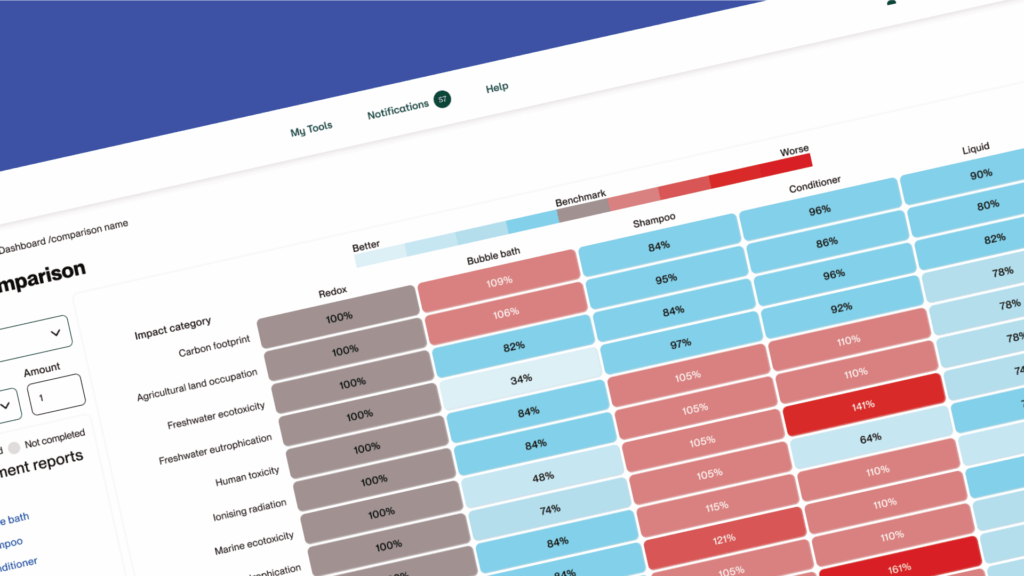
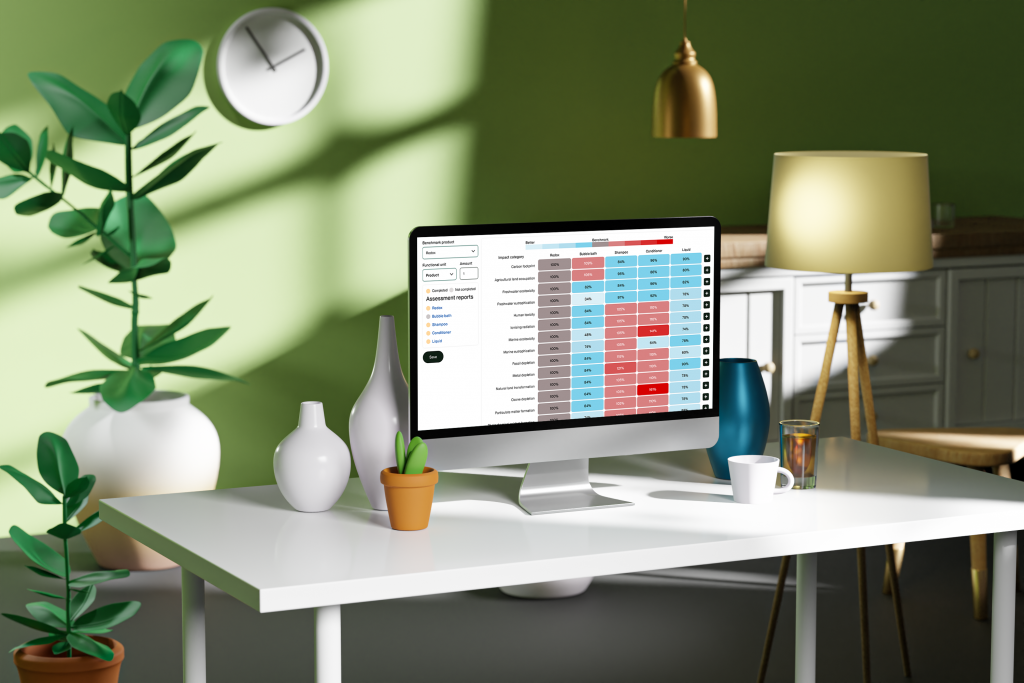
Side-by-Side Comparison Table: Compare up to five LCAs simultaneously
Toggle View: Switch between percentage-based and absolute values
Category-Based Filtering: Focus on specific environmental impact areas (e.g., carbon, water, toxicity)
Integrated Guidance: Contextual tooltips and benchmark cues support clarity for all user types
WCAG-Compliant Table Design: Prioritised legibility and accessibility across screen sizes
Design Principles
Clarity over complexity: Avoided overuse of dense visuals like trellis charts in favor of structured tables and color cues
Guided expertise: Designed to support both novice and expert-level users with layered guidance and flexible views
Scalability: Built with modular UI components for future export, filtering, and KPI tracking features
Feature Highlights
Side-by-Side Comparison Table: Compare up to five LCAs simultaneously
Toggle View: Switch between percentage-based and absolute values
Category-Based Filtering: Focus on specific environmental impact areas (e.g., carbon, water, toxicity)
Integrated Guidance: Contextual tooltips and benchmark cues support clarity for all user types
WCAG-Compliant Table Design: Prioritised legibility and accessibility across screen sizes
Design Principles
Clarity over complexity: Avoided overuse of dense visuals like trellis charts in favor of structured tables and color cues
Guided expertise: Designed to support both novice and expert-level users with layered guidance and flexible views
Scalability: Built with modular UI components for future export, filtering, and KPI tracking features
Validate
Usability Testing & Iteration
Tested prototypes with analysts and sustainability experts
Key feedback themes:
Clear layout made insights easier to communicate
Toggle control improved data interpretation
Faster comparisons reduced reporting overhead
Iterations included: improving contrast, repositioning tooltips, refining benchmark logic
Performance Highlights
Significant reduction in time spent comparing assessments manually
Increased user confidence in analysis and presentation
Positive reception from enterprise users with multi-project portfolios
Deliver
What We Delivered
- Cross-platform responsive web UI
- High-fidelity Figma prototype
- Modular design system components
- Interaction flows, documentation, and accessibility annotations
MUI design system
Figma
Trello
Teams
Collaboration & Tools
Agile sprints with weekly iteration checkpoints
Tools: Trello, Teams, Figma
Worked closely with PO, lead developer, and QA tester
Rapid feedback loops and technical validation cycles
What We Delivered
- Cross-platform responsive web UI
- High-fidelity Figma prototype
- Modular design system components
- Interaction flows, documentation, and accessibility annotations
MUI design system
Figma
Trello
Teams
Collaboration & Tools
Agile sprints with weekly iteration checkpoints
Tools: Trello, Teams, Figma
Worked closely with PO, lead developer, and QA tester
Rapid feedback loops and technical validation cycles
Book a free 30 min call
Let’s have an honest conversation about what’s holding your product back. Whether it’s user friction, unclear priorities, or low engagement, we’ll help you unpack the issues
Copyright © 2025 | Afirix
Book a free 30 min call
Let’s have an honest conversation about what’s holding your product back. Whether it’s user friction, unclear priorities, or low engagement, we’ll help you unpack the issues
Copyright © 2025 | Afirix